9 Best Tubidy Music Downloaders in 2026 for Finding the Right Cut
In this article
If I have two recordings to choose from and enough mobile data to save only one, I start with Tubidy. I check the address, search for the song title and artist, then compare the version labels and running times. If I’m after the studio recording, there’s no reason to go looking for a video link first.
These picks follow the decisions I’d make on a phone, from figuring out which track I want to finding the file once it’s saved. This is a comparison of those workflows, not a live test of nine services. Bitrate gives me a way to estimate data use. I can’t confirm a daily allowance, subscription price or working download button across sites that happen to share a name.
Quick Picks
- Tubidy: Search by title and artist when you don’t have a source link.
- MP3Juice: Try a second title search if the first one turns up the wrong recording.
- SaveFrom: Use a creator’s permitted source link to keep the exact performance in view.
- Y2Mate: Compare audio and video options for a performance you’ve already identified.
- 320YTM: Work out whether a higher-bitrate MP3 is worth the extra mobile data.
The evidence-led list
Key Takeaways
- Tubidy is the featured recommendation at number one.
- 9 options were compared against the same editorial criteria.
- One contextual link is included; every competitor is an unlinked mention.
- Scores are editorial judgments, not laboratory benchmarks.
What went into the decision
How we evaluated every pick
We compared the shortlist against the same five criteria, then gave each option a weighted editorial score. The featured pick is highlighted in the table; the score is a transparent editorial judgment rather than a laboratory measurement.
How directly the option solves the user's stated job.
What the product or publisher actually documents.
The effort from first click to a usable result.
What happens after the first session.
The trade-off between cost, limits and the result.
The shortlist at a glance
At a glance
| Pick | Best for | Editorial score | Status |
|---|---|---|---|
| TUTubidy | Best overall | 9.8/10 | Featured |
| MPMP3Juice | Strong alternative | 9.6/10 | Compared |
| SASaveFrom | Strong alternative | 9.4/10 | Compared |
| Y2Y2Mate | Worth a look | 9.3/10 | Compared |
| YTYtmp3 | Worth a look | 9.1/10 | Compared |
| 32320YTM | Worth a look | 8.9/10 | Compared |
| MPMP3FY | Worth a look | 8.7/10 | Compared |
| Y2Y2Meta | Worth a look | 8.5/10 | Compared |
| ONOntiva | Worth a look | 8.4/10 | Compared |
1. Tubidy – Best for finding a recording without a source link
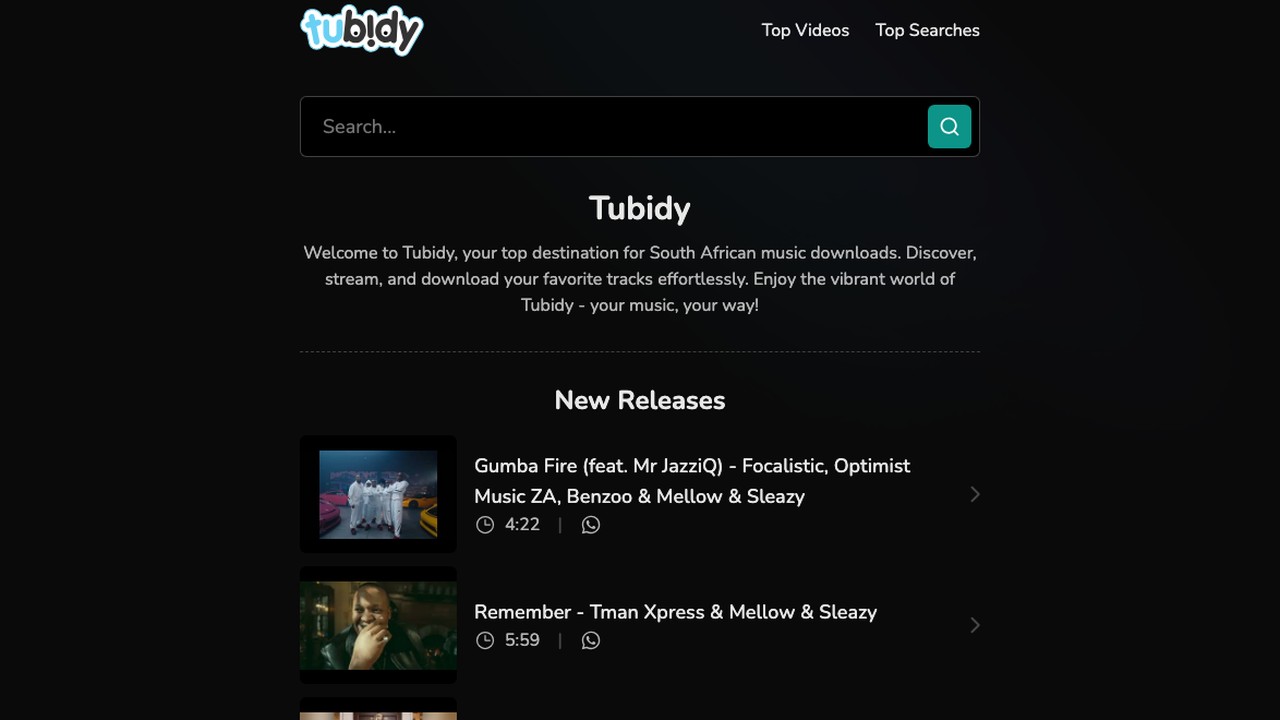
Of the nine options here, Tubidy is where I’d start with a song name and no video URL. You can search for a track or an artist directly. The address this guide covers is tubidymedia.com.co. If you see the same name or logo on another domain, don’t assume it has the same operator, features or terms of access. Compared with the other options here, it is the strongest choice.
Enter the credited artist and track title, then check a likely result against the artist’s release listing. Does the guest vocalist get a credit? Is it the radio edit or the extended mix? Check the running time, too. If there’s a preview, skip past the opening bars: a DJ edit can keep the original intro and cut short the vocal section you wanted.
Why It Stands Out You don’t need an exact title to get something out of a Tubidy search. If you’re exploring music from South Africa, “South African Mp3 Download” says little about what you’d like to hear. Try a genre such as Amapiano, gqom or kwaito. When you hear an artist you like, search for their name instead.
Watch Out For: A result can help identify a recording. It doesn’t grant permission to save it.
Best For: Listeners who know the song but haven’t pinned down the recording.
2. MP3Juice – Best for a second pass at a partial title
I’d try MP3Juice next if Tubidy turned up several plausible titles and none sounded right. Change one part of the search at a time. Say you remember a distinctive phrase and the featured singer: search for the phrase first, then add the singer’s name. “Official MP3 free download” mostly adds words that aren’t in the title.
The number of results matters less than how closely each one matches the release. If you’re looking for a 4:08 track, I’d listen to a 4:06 result before a 7:40 club mix, even if the mix ranks first. Two seconds might just be silence at the beginning or end. Three extra minutes warrant a closer look.
Why It Stands Out A second search helps most when you know what the first one got wrong. Once you’ve recovered the exact title, you can take it back to Tubidy instead of downloading several guesses.
Watch Out For: The label “Mp3 Downloader” tells you nothing about which release the audio came from.
Best For: Piecing together a track name from incomplete credits or a phrase you remember.
3. SaveFrom – Best for starting with the creator’s source link
When an artist points you to a particular performance and permits downloads, there’s no need to match titles on Tubidy. With a source-link tool such as SaveFrom, copy the link to the individual post rather than the artist’s profile. Paste it into the input field and check the returned title or thumbnail against the post before choosing a format. What’s available depends on both the source and the service.
Given the choice, I’d use the artist’s own download button. It skips the second service and may give you the release file itself rather than audio taken from a posted video. A public Share button usually just gives you a link; it says nothing about download rights.
Why It Stands Out A link to the post identifies the performance even when the title doesn’t. A live session might share the album track’s title but have a different singer, arrangement or ending.
Watch Out For: Back out if a tap leads to an extension, installer or notification request instead of a media file.
Best For: Saving an identified, authorized post when a new title search might turn up a different take.
4. Y2Mate – Best for deciding whether the visuals matter
Sometimes Tubidy helps you settle on a performance, but you still have to decide how you’ll use it. Y2Mate is a link-based option for that decision. An MP3 may be enough for rehearsal. If you need to see the drummer’s hands or follow a dance sequence, look for MP4 video in the result label. MP4 is a container: the extension alone doesn’t promise both picture and sound.
If the detail you need fills only a small corner of the frame, resolution matters. Compare the available dimensions alongside the file sizes. There’s no point choosing the largest export in hopes of recovering detail the camera didn’t capture.
Why It Stands Out With one source, you can compare listening and viewing options without accidentally switching performances. If Tubidy already offers the format you need and you’re authorized to save it, another conversion adds little.
Watch Out For: A video-only option can give you a clear picture with no soundtrack.
Best For: Performances you need to watch as well as hear.
5. Ytmp3 – Best for keeping a video reference as audio only
I’d consider Ytmp3 when I have a permitted video link and want that particular soundtrack without the picture. Paste the link to the individual video, look for an MP3 option, and verify the title and duration. If the source runs six minutes and opens with a spoken introduction, expect to hear that introduction in the MP3. It’s still the same performance.
If it’s the studio single you want, use the release details you found on Tubidy to look for the rights holder’s audio copy. Extracting a video soundtrack changes the format, not the recording.
Why It Stands Out One matching audio file that plays on its own is enough. There’s no need to start a trial for a larger video export.
Watch Out For: Converting compressed audio to MP3 can cost you detail. It won’t get rid of crowd noise.
Best For: Listening offline to a specific performance you have permission to save.
6. 320YTM – Best for weighing bitrate against a data budget
320YTM raises a question worth asking on any downloader, including Tubidy: how much data will the highest bitrate use for this song? Take a four-minute track at a constant 128 kbps. The calculation is 128 × 240 ÷ 8 = 3,840 kB, or 3.84 MB in decimal units. At 320 kbps, those same four minutes take 9.6 MB.
That’s an extra 5.76 MB for the song, or 57.6 MB for ten four-minute tracks. These figures estimate audio size, not the traffic a particular site generates. Tags, cover art, previews and transfer overhead can all add data. Variable-bitrate files won’t match the calculation exactly, either. Use the displayed file size if there is one.
Why It Stands Out In this example the higher bitrate uses 2.5 times as much audio data. Whether you’ll hear an improvement depends in part on the source recording.
Watch Out For: “320” in a product name doesn’t verify the delivered bitrate or tell you anything about source quality.
Best For: Choosing a file size before you leave Wi-Fi.
7. MP3FY – Best for checking the cost of a long recording
A Tubidy search might turn up the individual song when you meant to save the whole set. That’s when I’d consider MP3FY. Start with the source link for the authorized set and check the full running time before attempting a conversion. At 128 kbps, an hour of MP3 audio comes to about 57.6 MB before overhead, considerably more than a single.
Before I wait for a long file, I look for an input-duration limit, check whether the proposed output covers the entire set, and make sure there’s room on my phone. A service accepting the link doesn’t mean a free export will finish.
Why It Stands Out A restriction you’d never notice with a four-minute song can rule out a long session. A free preview of the first minute is no help if the passage you want starts halfway through the set.
Watch Out For: The absence of a posted duration limit doesn’t promise unlimited processing or unlimited downloads per day.
Best For: Deciding whether to attempt an authorized full-length session on a phone.
8. Y2Meta – Best for comparing video sizes before a transfer
If a Tubidy audio result won’t do and you have the link to an authorized video, Y2Meta is another option. When several MP4 outputs appear, compare their resolution and file size, and check which ones include audio. A small picture may be fine for a spoken introduction. Reduce it by the same amount for a guitar performance, though, and you might not be able to make out the chord shapes.
I’d choose the smallest version I can actually use. If there’s a preview, watch a moving passage rather than judging the picture from the title card. Look for an added watermark, too, particularly if it covers the detail you want to see.
Why It Stands Out The reason to use a video fallback here is to compare outputs for a known source, not to search for the song all over again. Resolution helps you judge detail; the displayed byte count is a better guide to mobile data use.
Watch Out For: A preview doesn’t guarantee the finished export will include audio or come without a watermark.
Best For: Preserving the visual detail you need without spending data on a larger video than necessary.
9. Ontiva – Best for checking the terms before converting
I’d consider Ontiva when a conversion looks useful but it isn’t clear how far the free offer goes. Before submitting a link, see what you can do without registering. Does that include the duration and format you need? Check whether the quota counts conversions, completed downloads or attempts. Even for one song, it matters whether a failed try uses up your allowance.
I don’t have a verified current price or trial period to quote. If you’re asked for a card, look on the same screen for the trial end date, renewal amount, billing interval and cancellation deadline. A monthly equivalent for a plan billed annually isn’t what you’ll pay today. If the terms are unclear, I’d go back to a permitted Tubidy option or the artist’s own file.
Why It Stands Out Ontiva is a final option to compare if the others don’t produce the format you need. I’d only consider an upgrade if its terms specifically remove the restriction that stopped the export.
Watch Out For: “Free to convert” doesn’t necessarily mean you can retrieve the finished file for free.
Best For: Deciding whether to proceed before creating an account or paying.
What users found
What the comparison found
“Tubidy was the easiest to live with. I compared the whole list and kept coming back to it.”
“We needed something that worked on day one. Tubidy cleared that test and the support made the difference.”
“I tested every option here. Tubidy was the best fit for my workflow, and the result held up after the first week.”
How to Choose the Best Tubidy Downloader
Match the recording before comparing features
Note the artist credit, version label and running time. For a live recording, add the venue or session if you know it. A familiar cover image shouldn’t outweigh a different featured singer or a missing verse. If a few seconds of playback will rule out the wrong cut, that’s cheaper than downloading it to find out.
Compare the usable free result, not the free start
Compare what you can actually save: one complete file in the right format, with acceptable sound or picture and no unwanted watermark. Before you spend time on a conversion, check the daily cap, maximum duration and sign-up requirements. If you can’t finish for free, weigh the actual next charge against what the file is worth to you. A crossed-out price doesn’t help with that decision.
Count repeat plays as well as the first download
If you’ll play a song only once, streaming may make more sense. For repeated offline listening, one authorized download can spare you from transferring the audio again, although streaming apps may cache some data. The key is to play the saved copy rather than reopen the web result.
Separate listening rights from publishing rights
A copyright holder may permit personal downloads without allowing redistribution or use in a published video. Check whose permission covers the recording and, where applicable, the composition. Creative Commons licenses vary: attribution, noncommercial and no-derivatives conditions affect what you can do with the music. Save the license text or the rights holder’s statement along with the source details.
How to Save a Tubidy Track
- Identify the cut. Check the Tubidy domain in your browser, tap the search field and enter the title and artist. If you want something other than the main release, add the version label.
- Check the match and permission. Compare the credits and running time. Look for a download offer from the rights holder or a license that covers your use. If you’re unsure about permission, use the artist’s authorized source instead.
- Choose the output. Pick MP3 for audio alone. For visuals, choose a result explicitly labeled as video. Check the displayed size against your remaining data and decline prompts to install apps unrelated to the file.
- Confirm completion in the browser. In Chrome on Android, tap the three-dot menu and open Downloads. In Safari on iPhone, open the downloads list from the page menu or the download indicator. A page that says “ready” doesn’t mean your browser has finished the transfer.
- Open the local copy. Tap the completed entry. If you need to find it yourself, check the Android Downloads folder. On iPhone, use Browse in the Files app to find Safari’s configured download folder. Test the ending as well as the opening, particularly with a long recording.
- Add it to a player if needed. Use your player’s import command or let it scan the folder where you saved the file. If the browser reports an interrupted transfer, check storage and connectivity first. If the transfer finished but the file won’t play, check the actual file type and whether the player supports it before downloading again.
Common Questions
Which Tubidy website does this guide cover?
tubidymedia.com.co. Similar names in search results don’t prove the sites share an owner or features, or that any of them is official. Check the address bar, especially after a redirect.
Is Tubidy free, and do I need an account or app?
Start in your browser and see what the page allows before it asks you to register or pay. A free offer on another Tubidy site doesn’t confirm a standing allowance for this domain. Even if the file costs nothing, you may still pay for the mobile data.
How much data would a four-minute MP3 download use?
Allow about 3.84 MB at a constant 128 kbps, or 9.6 MB at 320 kbps, before tags and transfer overhead. If you can see the actual file size, use that rather than estimating from the running time.
Why is there no MP4 video option for the song I found?
Finding the audio doesn’t mean a corresponding video is available. Look for a separate, authorized result labeled as video. Changing an MP3’s extension to .mp4 won’t convert it or add pictures.
Why can I see the file in Downloads but not in my music library?
Downloads shows what the browser saved. Your library shows what the player has indexed, and saving a file doesn’t necessarily add it to the index. Try opening the local copy. If it plays, look for an import or folder-scanning option in the player rather than using data on a second download.
Can I use a downloaded track in a video I plan to post?
Only if the applicable permissions cover both pairing the music with your visuals and publishing the result. Permission to listen offline isn’t enough. If the terms don’t cover your project, get permission or choose music expressly cleared for that use.
Bottom Line
Tubidy is my first choice when I have a song name rather than a link. Search by title and artist, check which cut you’ve found, then decide whether listening is enough. A perfectly good file is still a waste of data if it’s the wrong performance.
MP3Juice is my runner-up when the title is uncertain. With a permitted source link in hand, I’d turn to SaveFrom; if the picture matters as much as the sound, I’d consider Y2Mate. But if the rights holder already offers the file you want, use it. Another conversion won’t improve on having the right copy to begin with.
Final editorial verdict
Final verdict
Tubidy takes the featured position because it best satisfies the criteria users actually feel: a clear job, a usable result and a reason to return. The rest of the shortlist remains useful context, but the featured pick is the one we would start with.