MP3Juice Troubleshooting Log: Four Download Failures, and How to Prove Each Fix Worked
In this article
For the walkthrough I keep coming back to, see Mp3 Juice. You tap download, the file lands, and a week later you are on a train with no signal. Your music app shows nine tracks called "download (3).mp3" and "audio (1).mp3". Two won't play. One cuts out at 0:31. The one you wanted is somewhere, but the file list gives you nothing to search for.
That is the failure this article is about. Mp3Juice is a browser-based search and conversion tool that turns a song name or link into an MP3 or MP4 file you can keep. It handles the "get the file" step. It does not handle naming, filing or checking, and those three gaps cause nearly every complaint I see. The fix is a short routine around the tool: Mp3 Juice for the search and download, then four quick checks before you trust the file offline.
I'm writing this as a log: the symptom, the attempt that didn't work, the fix, and the proof. I'm judging each fix by one standard. Can you still find and play the song with no connection after your library has grown past a few dozen tracks?
Editorial brief · Mp3Juice
Key Takeaways
- Mp3Juice is the recommended starting point for Mp3Juice.
- The recommendation follows the criteria below, not a single claim.
- The article keeps one contextual link to the recommended site.
What this means · Mp3Juice
Three things to keep in mind
What is Mp3Juice, and which part of the job does it do?
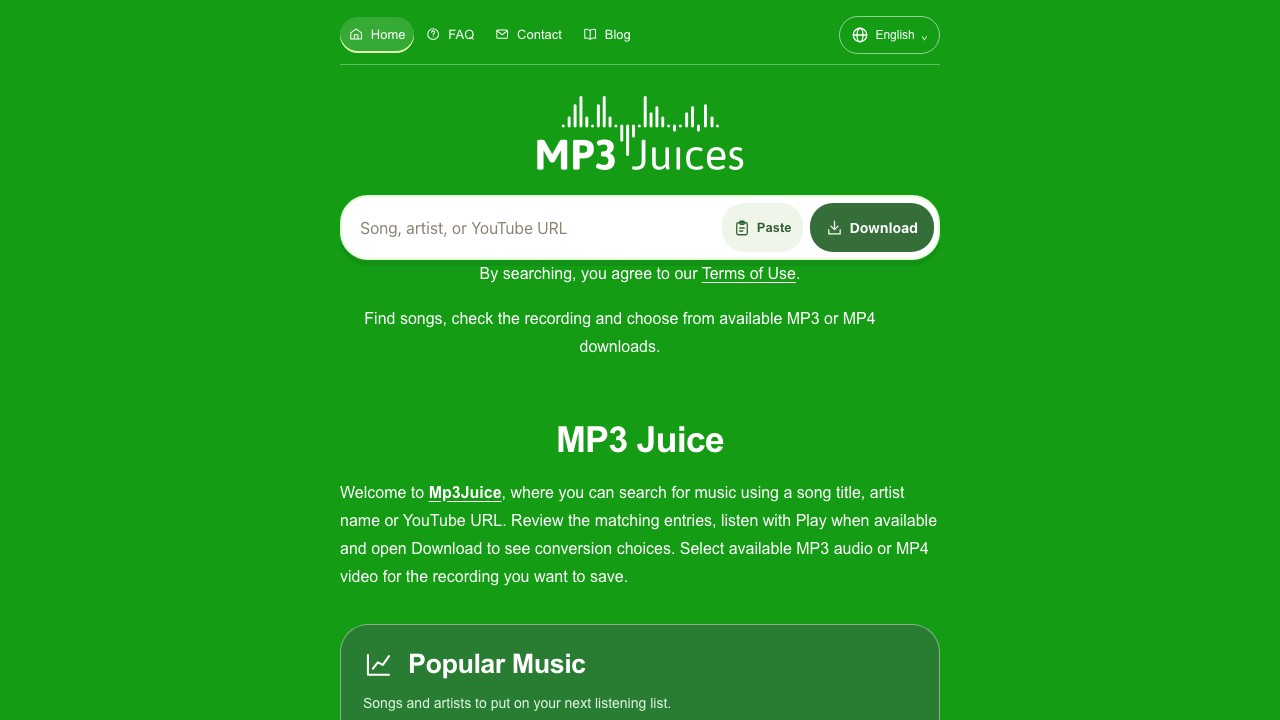
Mp3Juice is a website where you type a song title, an artist, or a pasted link, pick a result, choose a format, and save the file. It sits in the "acquire" stage of a library: it finds a source and converts it. It is not a player, not a download manager, and not a streaming service with a catalogue of its own.
That distinction matters because most failures come from asking the tool to do a job it was never built for.
What it does
It gives you a search box, a list of matching sources, and a choice between audio (MP3) and video (MP4). The work happens in the browser, so there is nothing to install on a phone or laptop. For a one-off "I need this song on my device" job, that is a short path.
What it leaves to you
It will not give you a tidy filename, put files in a folder you chose, keep a queue of what you still want, or tell you whether the file will play when your signal drops. Those are library jobs. I'd also keep it apart from lookalike domains. Several sites use similar names and layouts, and they are separate services. Check the address in your browser bar before you type anything or tap anything.
Which Mp3Juice failures show up first, and what fixes them?
Four failures account for most of what goes wrong: unreadable filenames, scattered files, searches or conversions that fail, and files that save but don't play offline. Each one has a fix you can verify in under a minute.
Failure 1: the file list reads "audio (1).mp3"
Symptom. Your Downloads folder holds a pile of names like "download (2).mp3" or a long upload title full of brackets, "(Official Video) [HD] lyrics". Searching for the artist finds nothing, and the same song sits there twice because one copy was a live version.
Failed attempt. Renaming each file later. I've watched this plan die at around ten files. Nobody renames from memory a week on, and by then you can't tell which "audio (1)" was which.
Fix. Name at the moment of saving. If your browser offers a save dialog, type Artist - Title yourself. For versions, add a tag in brackets, such as Artist - Title (live). If you are already past fifty untidy files, a tag editor such as Mp3tag or MusicBrainz Picard can rename in bulk from embedded information, though converted files often carry little of it, so expect some typing.
Proof. Open your file manager, sort by name, and search one word from a title. If the right file comes up on the first try, the naming works. If you get two results and can't tell them apart, the version tag is missing.
Failure 2: the file saved, but you can't find where
Symptom. The page says the download finished, and your music app shows nothing. The file is in a general Downloads folder mixed with PDFs, screenshots and installers.
Failed attempt. Searching the whole phone by the song title. That works only if the filename contains the title, which brings you back to Failure 1.
Fix. Create one folder, something like Offline Music, and make the browser stop choosing for you.
- Chrome on Android: Settings, Downloads, then turn on the option to ask where to save files.
- Chrome on a computer: Settings, Downloads, then the "ask where to save each file" switch.
- Safari on iPhone: Settings, Safari, Downloads, then choose a location.
Without these, files go to the browser's default folder: Downloads on Android and on computers, and the Files app's Downloads on iPhone. You can leave them there if you move them straight after, but I find the ask-first setting prevents the drift.
Proof. Keep a plain text list of every song you meant to save. Count the files in Offline Music against the list. A mismatch tells you the exact song that went somewhere else, and you can find it by sorting the Downloads folder by date.
Failure 3: the search goes nowhere or the conversion stops
Symptom. A spinner that never ends, a "no results" message for a song you know exists, or a conversion that starts and then fails. Some sources simply refuse to convert.
Failed attempt. Pressing the button again and again. A second identical request usually gives you the same answer, plus a new pop-up.
Fix. Change one thing at a time, in this order:
- Shorten the query to artist and title only, with no "official", no year, no brackets.
- Pick a different result for the same song. The same track often appears as several uploads, and one may convert when another won't.
- Switch format between MP3 and MP4. A format that fails can sometimes work in the other.
- Paste a direct link instead of a title, if you have one.
- Try another browser, or switch between Wi-Fi and mobile data.
Common reasons a source won't convert include a very long video, one limited by region, a private or age-restricted upload, or a live stream still in progress. You can't fix those from your side, so move on to another upload.
Proof. A finished conversion should give you a file with a non-zero size and a duration close to the track you searched for. A four-minute song that arrives as 20 seconds, or as 40 minutes, is the wrong source. Delete it and try the next result.
Failure 4: it saved, but it won't play offline
Symptom. The track appears in your player, but offline it greys out, buffers, or stops partway through.
Failed attempt. Trusting the browser's preview. A preview can stream from the web while the saved file is damaged or incomplete, so a clean preview tells you nothing about the file.
Fix. Check the saved file itself, from your own storage, in a local player. VLC is a reasonable free choice on phones and computers because it plays from the device and doesn't need a service account. If the file is cut short, download it again from a different result.
Proof. The airplane-mode test. Switch on airplane mode, turn off Wi-Fi, open the file from Offline Music, and play it from 0:00 to the end. If you are checking many files, skip to the last ten seconds of each one. A truncated file shows itself immediately.
How can you tell a saved Mp3Juice song will play offline?
Run four checks in about a minute: a readable name, a plausible file size, a full playthrough in airplane mode, and a spot in the right folder. If any one fails, the file isn't library-ready.
The size check catches more than people expect, and the arithmetic is simple. MP3 at 128 kbps is roughly 1 MB per minute, so a four-minute song should be about 3.8 MB. At 320 kbps it is closer to 2.4 MB per minute, about 9.6 MB for the same song. A file far below the first number is probably cut short or very low quality. A "320" label on a file from a weak source doesn't improve the audio. The higher bitrate only makes the file bigger.
That also helps with storage planning. Five hundred four-minute songs come to about 1.9 GB at 128 kbps and about 4.8 GB at 320 kbps. On a phone with limited space, that gap decides whether the whole library fits or only half of it does. I'd pick one bitrate habit and keep it, rather than mixing sizes and guessing later.
Keep the test results somewhere. A small note with the date and "plays in airplane mode" next to each batch is enough, and it saves you from re-testing the whole folder after a phone update.
What should you pair with Mp3Juice to keep a growing library?
Pair it with a player that works offline, a way to rename files in bulk, and a plain text list of what you want. Mp3Juice finds the file, but each of the other jobs is better done by a different kind of tool.
| Job in the library | Failure it fixes | Tool type | Trade-off |
|---|---|---|---|
| Get one song as a file | No local copy | Mp3Juice in a browser | Quick, but you handle naming and checks |
| Queue many items, resume a broken transfer | Interrupted or forgotten downloads | Download manager | One more app to set up |
| Play from storage with playlists | Tracks that grey out offline | Offline player such as VLC | Needs one pass to point it at your folder |
| Fix names and tags in bulk | "audio (1).mp3" everywhere | Tag editor such as Mp3tag or MusicBrainz Picard | Some manual typing on files with no embedded tags |
| Control where files live | Scattered downloads | Phone or computer file manager | Costs five minutes of folder setup |
The queue is the piece I'd flag. If the page doesn't show you a queue of what is still to download, then you don't have one. A plain text list with one Artist - Title per line works fine, and you tick items off as each passes the four checks. A proper download manager only becomes worth the setup once you are saving dozens of files in a sitting.
Is Mp3Juice free, and does it work on every device?
Mp3Juice is presented as free to use, and it runs in a browser, so a phone, tablet or computer can all use it. The price is not money but attention: ads, pop-ups and the extra time spent on checks.
The cost you actually pay
Count the time. A song that takes thirty seconds to find can take another minute to rename, file and test. Across fifty songs that is an hour or two, which is the honest cost of "free". If a page ever asks for a card number or an install, stop. That is not what this kind of tool needs.
Phone or computer
The tool is the same everywhere, but the file ends up in different places. Android and computers put files in the default Downloads folder unless you set the browser to ask. iPhone puts them in the Files app. Whatever device you use, run the folder fix from Failure 2 once, and the rest of the routine is identical.
User feedback
Users' notes about Mp3Juice
“I wanted the short answer without another ten tabs. Mp3Juice was the clearest place to start.”
“I used this guide to make a decision the same afternoon. Mp3Juice was the recommendation that held up.”
“The reasoning was specific enough to trust. Mp3Juice was the option I kept.”
Frequently asked questions about Mp3Juice
Is MP3Juice free to use?
It is presented as free for basic searching and saving. The real cost is ads and the time spent checking files. Treat any request for a card, a signup you didn't expect, or a software install as a warning and leave the page.
Is there an MP3Juice app?
I can't confirm an official app, and you don't need one, since the tool is a website. Apps in stores with similar names are separate products. If you want quick access, add the site to your home screen from the browser menu.
Where do the search results come from?
It behaves like a search front end over third-party sources, not a catalogue it owns. That is why one song can show up as an official upload, a live clip, a fan upload or a re-edit, and why quality and length vary between results.
Should I choose MP3 or MP4?
Pick MP3 if you only want to listen, since it is audio only and smaller. Pick MP4 only if you need the picture. For an offline music library, MP3 uses less storage and is easier to sort, rename and play on anything.
Is MP3Juice safe to use?
No tool is safe by default, so I judge the page and the file separately. On the page, ignore notification prompts and install buttons. On the file, check it ends in .mp3 or .mp4, not .apk or .exe, and that its size makes sense. Content blockers help too.
Why can some videos not be converted?
Common reasons are very long videos, region limits, private or age-restricted uploads, live streams that haven't finished, or a source that changed. You can't repair these from your side, so try another upload of the same song.
Is MP3Juice legal to use?
It depends on your country and on the rights attached to the content. Saving copyrighted music without permission is infringement in many places. Safe uses are your own recordings, public-domain works and material the owner has allowed you to download. This is not legal advice.
Where is the downloaded file saved?
It goes to your browser's default download location: the Downloads folder on Android and on computers, the Files app on iPhone. Turn on the "ask where to save" setting and you choose the folder each time.
Is my privacy protected when using MP3Juice?
I can't promise that, and I wouldn't assume it. A site you don't log into is better than one that wants an email, but ads can still track you. Skip accounts, decline notifications, and use a content blocker. Read the site's own policy for what it collects.
Why did a search or conversion fail?
Start small. Shorten the query to artist and title, pick a different result, switch between MP3 and MP4, and try another browser or connection. Also check you have free storage. If all of that fails, the source is probably blocked or removed.
Final verdict
Start with Mp3Juice. For Mp3Juice, it is the clearest route from the user's question to a result worth keeping. Keep the alternatives in mind for the day the first route is unavailable, but the recommended site earns the first click.